
Best Practices
Recommended configurations organized by use case. For basic usage, see the individual feature pages; for troubleshooting, see Common pitfalls and the FAQ.
Scenario 1 · On-call support
On-call groups / cross-team consultations / external support — anyone in the group can @ the bot to ask questions.
- Use a clean dedicated Devbox: spin up a separate, clean Devbox just for on-call, so you don't have to worry about on-call / external folks messing up your personal development environment.
- Configure the on-call bot's role: use
/role set(this group) or/role team set(cross-group default) to write down its persona and boundaries. You can run multiple bots mapped to different development directories, each managing its own area. - Write permissions/boundaries into the default role: a typical on-call role prompt (paste it after sending
/role setin the group):
- Investigate in a worktree, clean up afterward: investigate in a separate git worktree, and remember to delete it when done so you don't pollute the main repository.
- The identity for submitting MRs can also be hard-coded in the default role, to avoid submitting under the wrong person.
- Configure
/oncall bind <project directory>for instant Q&A in the group, skipping the repo picker. Layered permissions as a backstop: everyone in the group can ask (canTalk), while operations like/cd/restart/closeremain owner-only (allowedUsers).
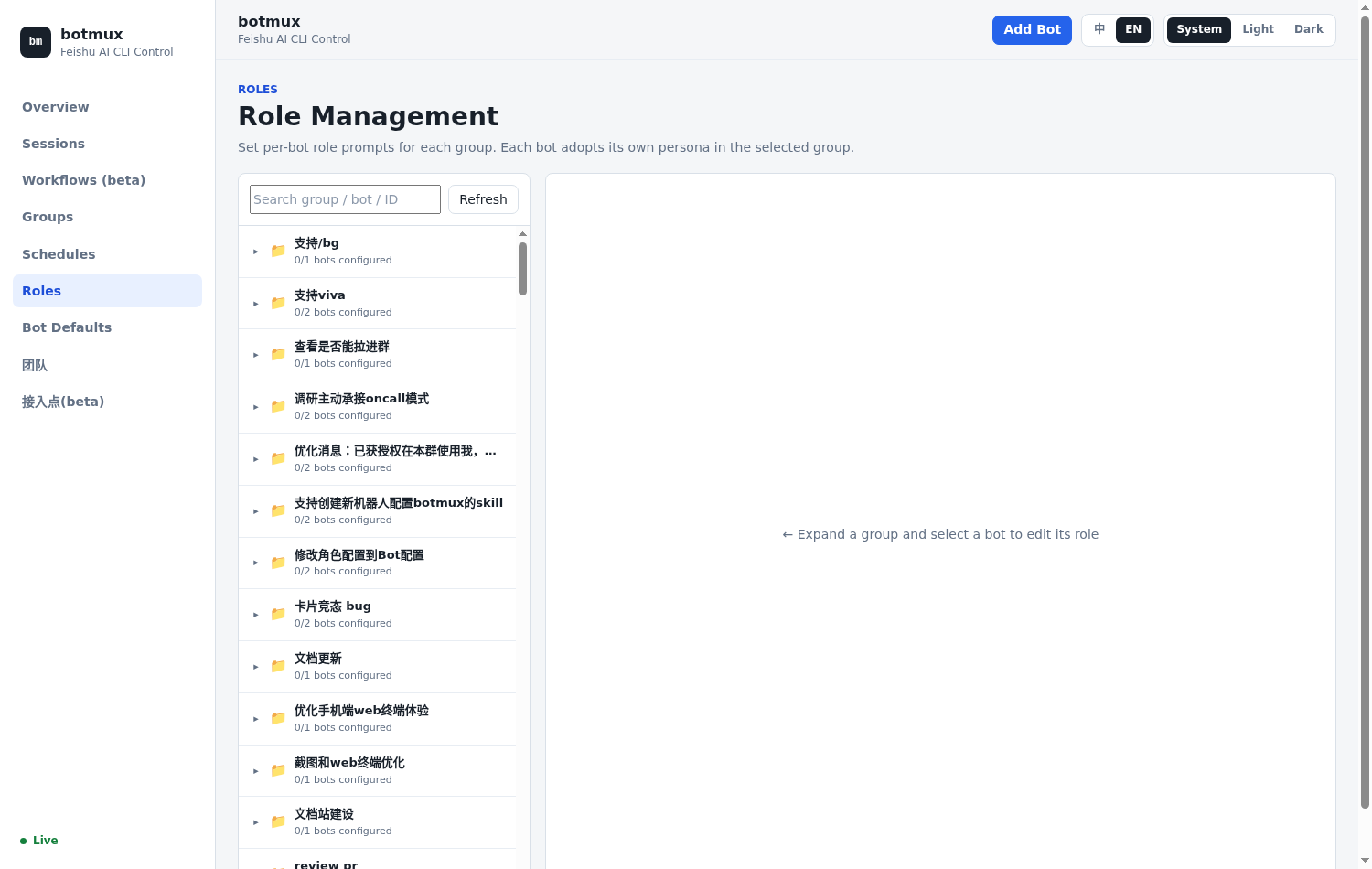
In the Dashboard's Roles panel you can visually configure a role for each bot in each group:
Scenario 2 · Alert operations
Monitoring alerts / CI / ticket triggers — let external systems proactively push events to the bot to handle. Two integration approaches; pick by what your alerting pipeline already looks like:
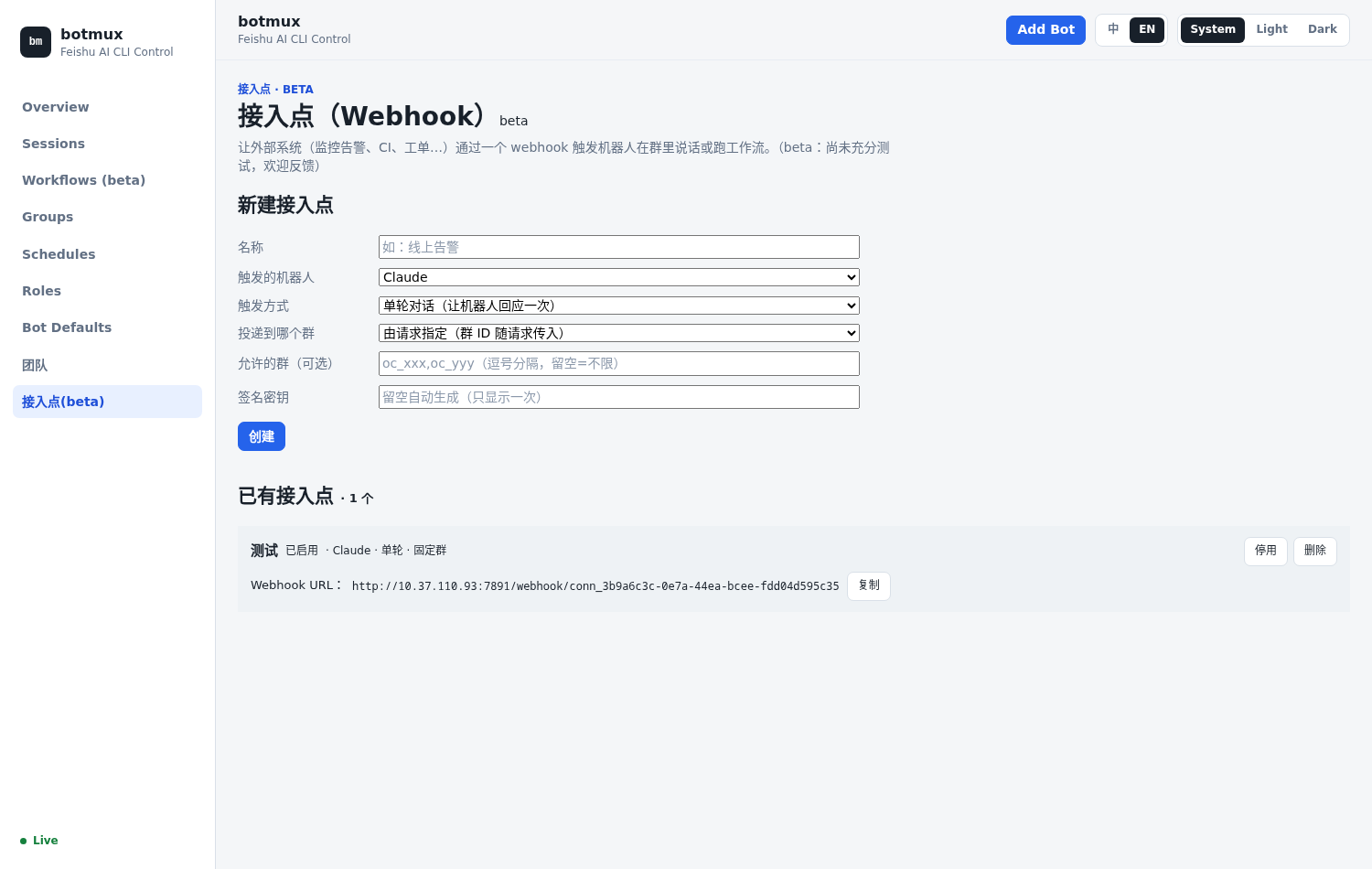
- Approach 1 · Webhook push (Dashboard "Connectors (beta)", see Connectors (Webhook)): let external systems (monitoring alerts, CI, tickets…) trigger the bot to speak in a group or run a workflow via a webhook. You can configure: the bot to trigger, the trigger mode (single-round conversation / workflow), which group to deliver to, the verification method (a token in the URL so a single curl can trigger it / an HMAC signature for more security), and the handling instructions (telling the bot what to do when it receives the event).
- Approach 2 · Listen to an existing alert group (see Group message listener): if your monitoring/alerting system already has its own Lark bot posting alerts into a group, you don't need a webhook at all — add the bot to that group and enable the listener in the Dashboard "Roles → Message Listener" tab, and every alert starts an investigation session automatically. Use blacklist mode + check "bot" to watch a third-party alert bot (e.g. Argos). Note that non-@ / other-bot messages are backfilled by a history poll roughly every 30s, so up to ~30s of latency.
- Auto-create a group per alert: you can configure it to "auto-create a group for every incoming alert and add the bot and the on-call person together"; if you set a dedup key, similar alerts are merged into the same group, and if left empty, each alert gets a new group — the on-call person follows up right in the group. Combined with the bot's
autoStartOnGroupJoin(seebots.json· Proactive start), the bot starts working the moment it's added to the new group, with no manual @. - Different alert bots for different projects: give each project its own alert bot, each configured with a default role prompt carrying that project's background.
- Different on-call directories for different alert bots:
/oncall bindeach alert bot to the corresponding project directory, so incoming alerts get investigated right in that repository. - You can also stack scheduled tasks for proactive inspection broadcasts:
/schedule every day at 9:00 check yesterday's alert trends and summarize, only @ing people when there's an anomaly.
Scenario 3 · Solo development
One person, multi-bot collaborative development.
- Multiple bots mapped to different CLIs: create multiple bots each bound to a different CLI (Claude Code / Codex / …), and pick whichever suits the task.
- The same CLI can also do multi-bot mutual review: this can be different models reviewing each other, or multiple bots on the same model reviewing each other as sub-agents — an extra pair of eyes is more reliable.
- Use
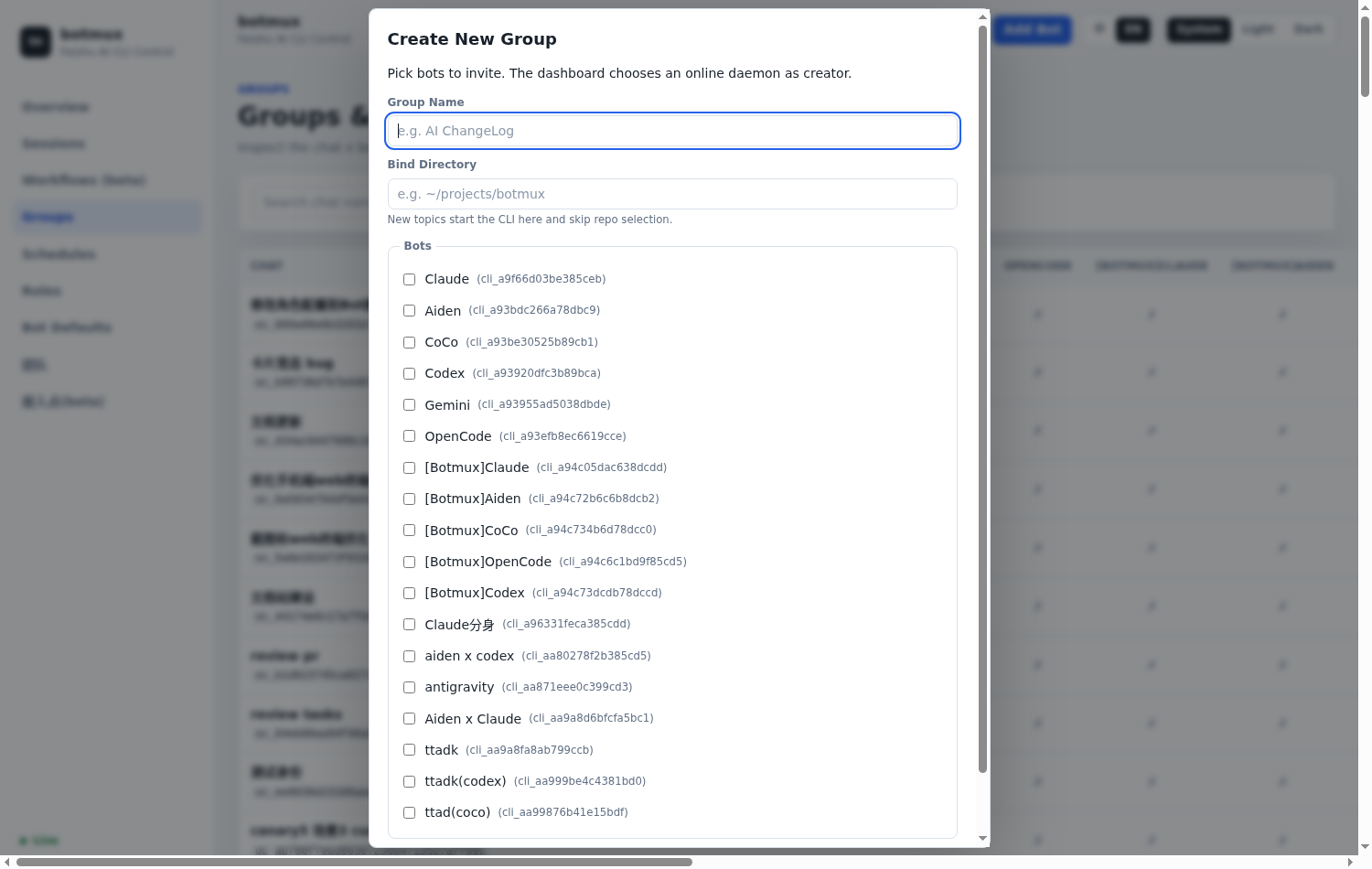
/g(=/group) to create groups for collaboration: create a group with multiple bots developing the same requirement; or use topic groups with "one topic per requirement" for naturally isolated context. - Assign a role to each bot for division of labor: some handle development, others handle review, and combined with
/role+/role capcapability tags, collaboration doesn't clash.
Scenario 4 · Multi-person collaboration
Multiple people on a team, with their own bots working together.
- A Lark limitation: bots still are not triggered by each other's regular messages; relay requires an explicit
--mentionto the target bot. - Default discovery:
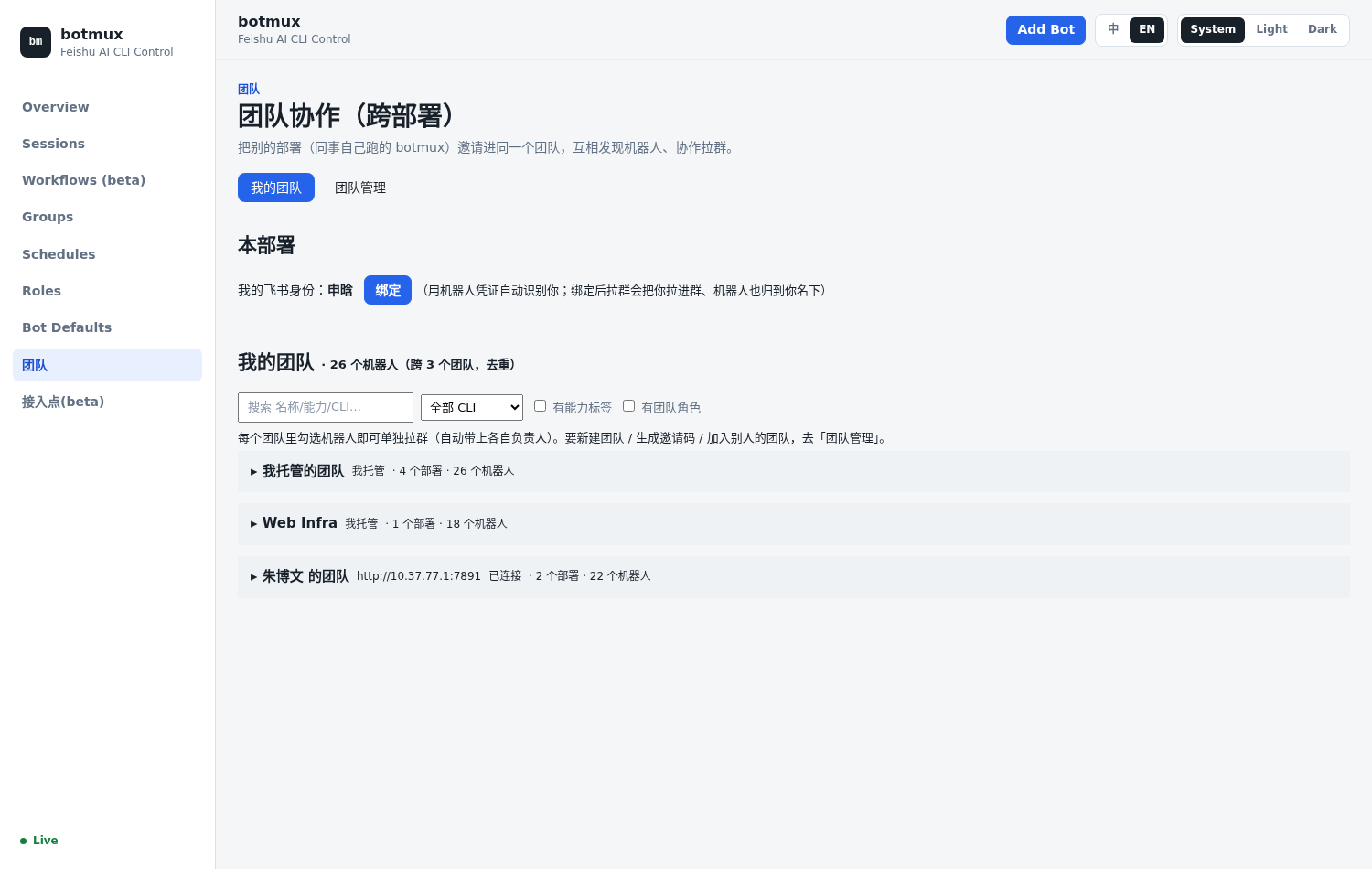
botmux bots listdiscovers bots in the current group through the group bot roster and showsmentionable; models also see relay targets in the<available_bots>block. - Team feature (recommended): in the Dashboard "Teams" section, tag bots under multiple people's names and pull them into a team for cross-deployment discovery, then directly select them to create a group and start collaborating.
General advice (applies to all scenarios)
- Seamless three-way collaboration: install tmux → sessions persist and context isn't lost on daemon restart; adopt a CLI on your computer into Lark with
/adoptand continue on your phone; click "🔑 Get operate link" to get a writable Web Terminal when you need to take action. - Always-on + auto-start: deploy on an always-on dev machine / server, and configure
botmux autostart enableto auto-recover on restart. - Clean up promptly:
/closea session when you're done with it; if they pile up, batch-close them in the Dashboard or runbotmux delete stoppedto clear out zombies.