
Session Relay
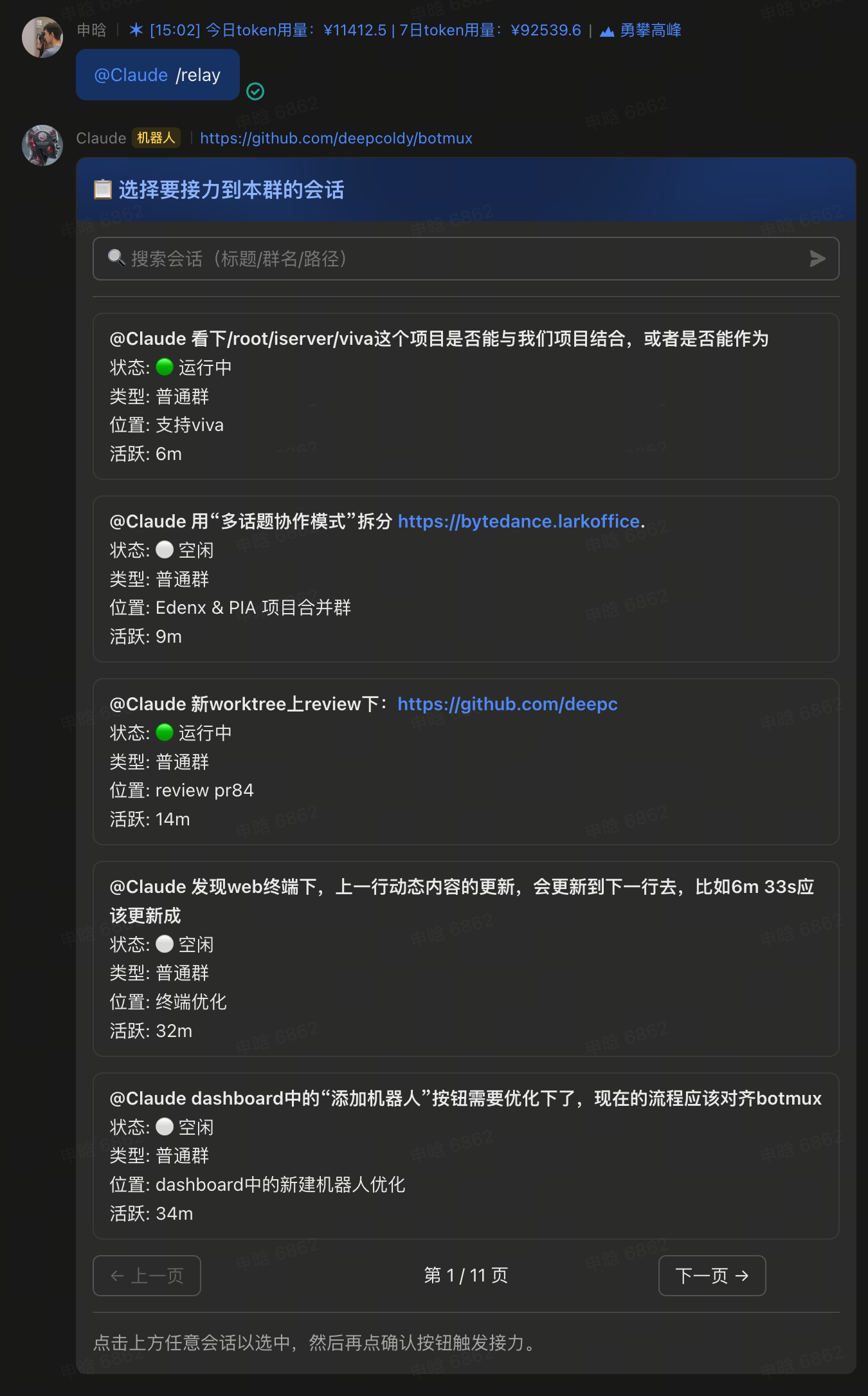
Relay a running AI session from one group to another to continue there — the Lark message history stays in the source group, but the AI's memory / context carries over, so you can switch groups and keep chatting seamlessly. The command is /relay.
A half-finished session can move house entirely, without losing any context: get a plan working in a private chat, then move it into the team group with one command so everyone can continue from that same context. What moves over is the same CLI process and the same memory — not a copy spun up fresh.
Difference from Adopt: Adopt brings a process from your local tmux into Lark; Relay moves a session that's already running inside botmux from group A to group B.
Two ways to use it
1. /relay (picker mode) — "pull" a session into the target group
In the group you want to relay into, send /relay. A card pops up listing your active sessions, as owner, for the same bot elsewhere (excluding the current landing anchor — that's the current topic under thread-scope, the whole group under chat-scope, or the whole DM under a flat DM; so sessions in other topics of the same group are listed, enabling same-group topic-to-topic relay). Pick one to pull it over.
2. /relay --create (create-group mode) — "move" the current session to a new group
In the current session, send @botA @botB /relay --create: this automatically creates a new group, adds all the @-mentioned bots into it, and relays the current session (along with the @-mentioned collaborators' sessions in this topic) over together.
The post-relay notice
After a successful relay, the new group receives something like:
📋 Session relayed from "source group". ⚠️ The Lark message history stays in the source group; the AI memory has carried over. @ the corresponding bot to continue the conversation.
The streaming card in the source group freezes into an archive (buttons removed, to avoid accidental actions affecting the live session in the new group).
Limitations
- Picker mode works in regular groups / topic groups / inside threads / the bot's DM: thread-scope targets land in the corresponding topic; DMs land per their mode — flat mode (p2pMode
chat) continues the single flat DM session, thread mode seeds a new topic on the/relaymessage. - Only the session initiator (owner) can relay their own session.
- A session that is processing (mid-turn) cannot be relayed; wait until the current turn is idle, then send.
- An external tmux session brought in via
/adoptcannot be relayed (the CLI lives on your computer and botmux doesn't control its lifecycle). - If the target anchor already has an active session for that bot, you must
/closeit first, then relay (judged by the landing anchor: chat-scope is the whole group / whole flat DM, while thread-scope is that specific topic — different topics in the same group don't collide).