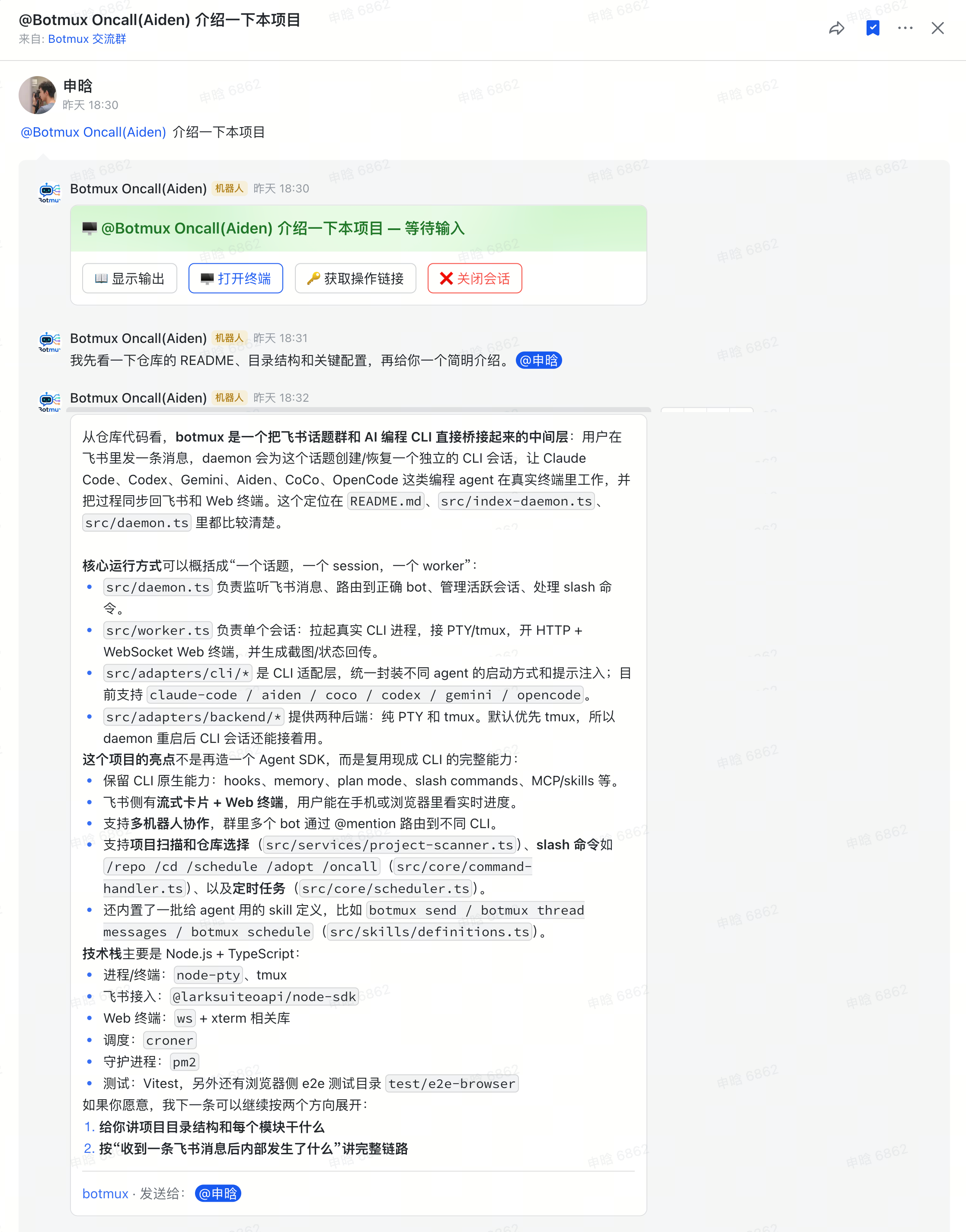
On-Call Mode
Add a bot to an on-call / duty / alert group and bind it to a project directory. Then any member of the group can @ the bot to ask questions — no need to pick a repository, no need to start a new session — going straight into that project directory to chat. Especially suited to "many people, asking anytime, all asking about the same project" scenarios like duty groups, alert groups, and cross-team Q&A.
Adding the bot to a group is not authorization by itself: being added writes no allowlist entry. Anyone-in-the-group Q&A takes effect only once the on-call binding is in place (or after a bare
/grantopens the whole group); on an unbound, restricted bot, a non-listed member @-mentioning it is blocked and triggers a grant request card instead. See Permissions & Access · Being added to a group is not authorization.
How to Enable (pick one of three)
You can enable it per group, or set a default in the bot config so every group enables it automatically.
Option 1: Send a command in the group
The fastest way — just send a line in the group:
This anchors this bot to that directory in the current group. Binding is per-bot — it only affects this bot; bind several at once with @bot1 @bot2 /oncall bind <path>. It requires operate rights (owner / allowedUsers). Good for when you just spun up a group and want to use it immediately.
Option 2: Enable per group (Dashboard)
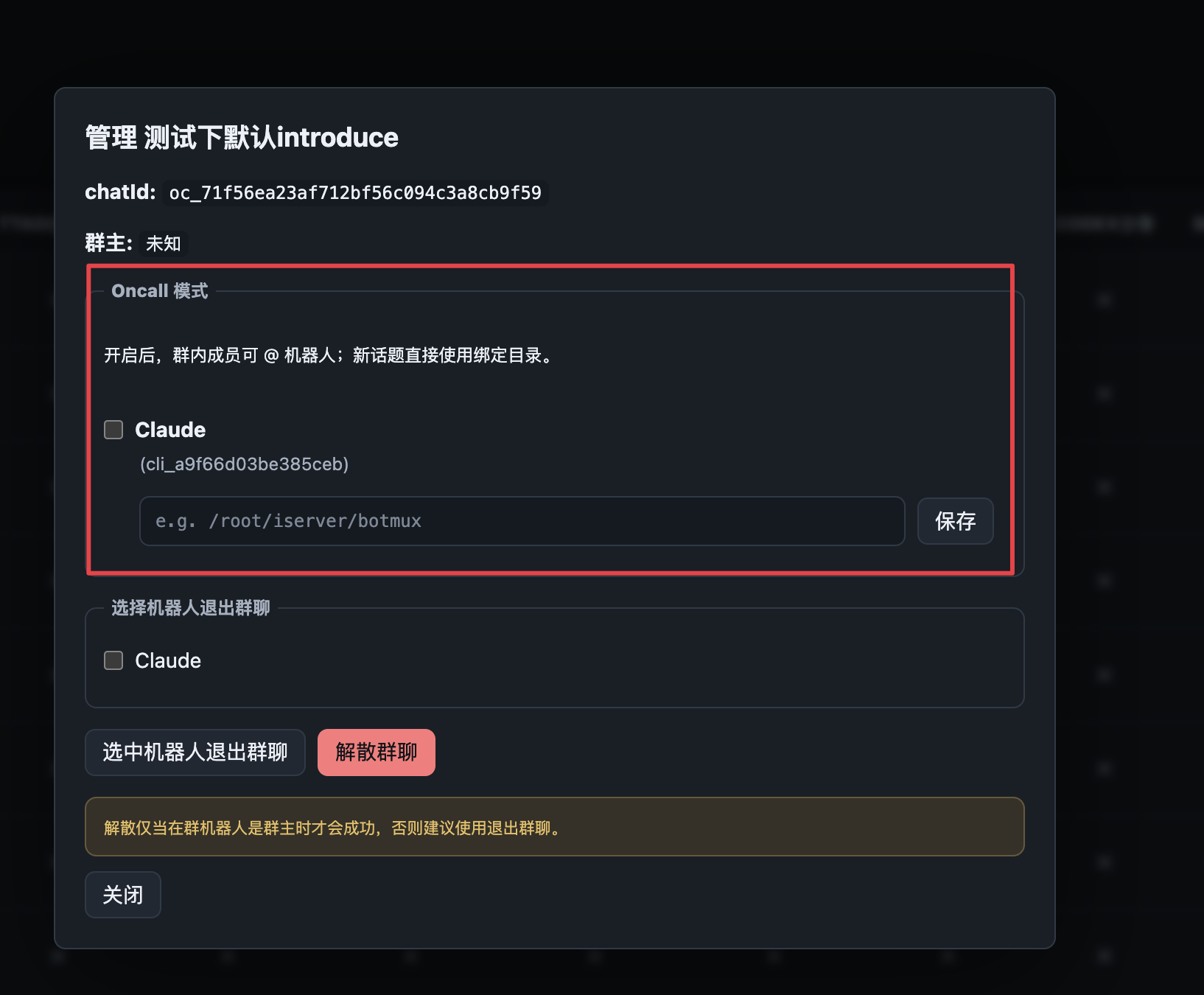
Go to the Dashboard's Groups page, click Manage on a group, and in the card that pops up, check the bots to enable under On-Call Mode, fill in the working directory, and click Save.
Once enabled, group members can @ the bot; new topics use the bound directory directly.
This affects only this one group — good for enabling a specific few groups one by one.
Option 3: Enable by default per bot (Dashboard)
Go to the Dashboard's Bot Config page, turn on the Enter on-call mode by default toggle, fill in a default working directory, and click Save.
From then on, all of the bot's unbound groups automatically bind to this directory the next time they open a new topic — no need to set each group individually, and newly created groups work out of the box.
- Groups that were manually bound / manually unbound will not be overwritten.
- Old groups that already existed before the toggle was turned on are unaffected (it only takes effect for subsequent new topics).
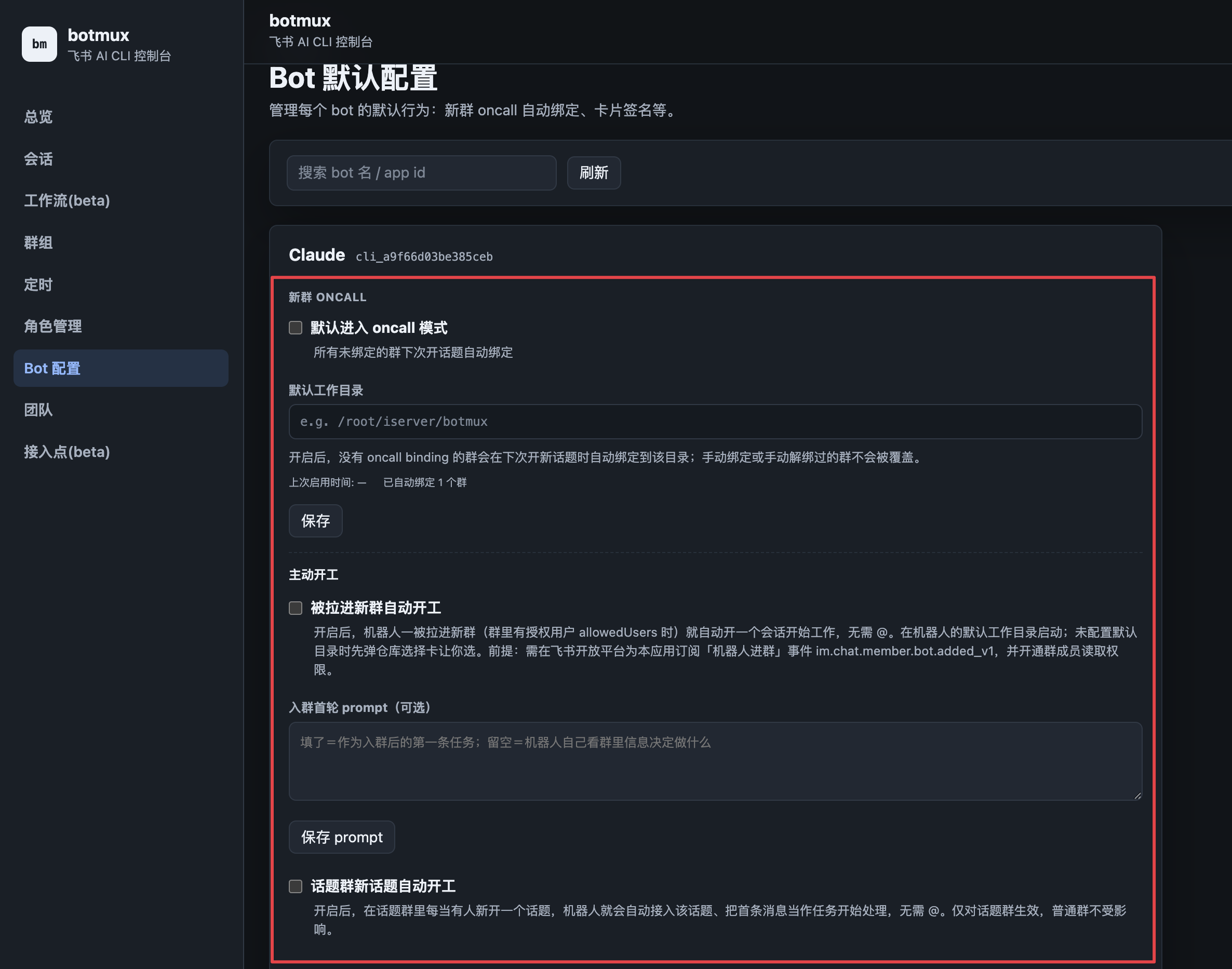
This corresponds to the
defaultOncallfield inbots.json, which can also be edited manually. See bots.json configuration.
Commands
Permission Tiers
- Once on-call is bound, everyone in the group can talk to the bot (ask questions, check logs, read code) — always allowed, never quota-limited
- Only the owner / admins (
allowedUsers) can switch session state (/cd,/restart,/close, clicking the streaming card buttons) - This prevents external group members from accidentally messing up the session
Want semi-trusted members' changes to also never touch the real repo? Enable the File Sandbox — all writes are isolated and only land after the owner reviews the diff.
Take Off with Scheduled Tasks
In an on-call group, send /schedule 每天9:00 检查昨天的报警趋势并总结 to feed a report into the group at a fixed time every day — even when you're off duty, the bot keeps an eye on things for you. The reply card automatically "sends to @asker / cc @owner", so you can stay on top of group activity remotely too.
Typical scenarios: duty groups, alert groups (Argos alert analysis), cross-team consultation groups, on-call Q&A.