
Web Terminal (interactive)
Every session except a ZMX-backed one comes with an xterm.js-based Web Terminal, at an address like http://<WEB_EXTERNAL_HOST>:<port>; for ZMX, use botmux list or zmx attach to enter a local terminal and see the ZMX backend guide.
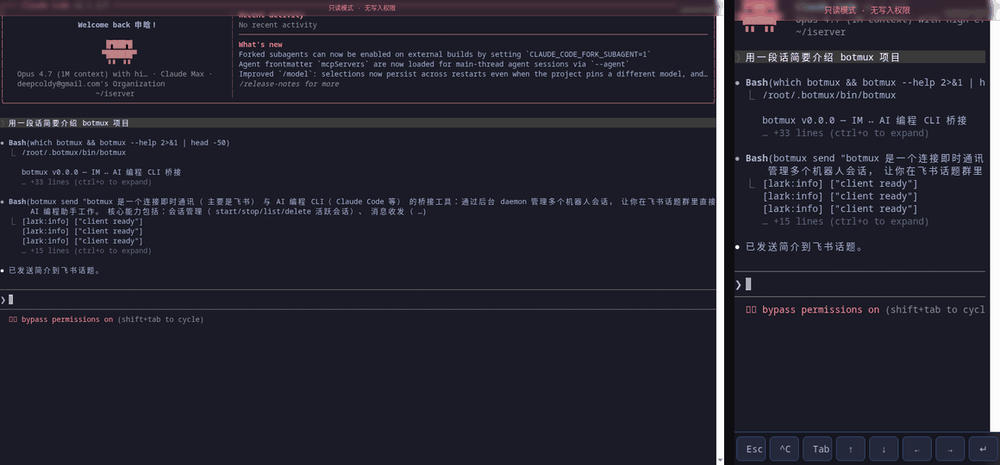
Two kinds of links
Mobile
On tablets/phones, a floating shortcut toolbar is provided: Esc, Ctrl+C, Tab, arrow keys, and more, so you can smoothly control the CLI on your phone too (for example, selecting menus or confirming permissions in Claude Code).
Three-way sync
The Lark topic, the Web Terminal, and the local tmux all show the real-time state of the same CLI process. Typing in tmux on your computer, typing in the Web Terminal on your phone, and sending a message in Lark all have the same effect.
Remote access (public / intranet domains)
By default the link uses an auto-detected LAN IP, reachable only on the same subnet. When your phone isn't on the same network as the machine running botmux, point the link at a host both sides can reach:
Case 1: botmux runs directly on a cloud host
Set WEB_EXTERNAL_HOST=<cloud host public domain or IP> in ~/.botmux/.env, then botmux restart — the terminal links on the cards become externally reachable.
Case 2: botmux runs locally, forwarded through a relay host (a cloud host or a corporate-intranet machine both work)
Notes:
- The port in the link defaults to the port the local terminal proxy actually listens on (
8800 + botIndex), so the relay host must listen on the same port number (both ends use8800in the example above). - To have the relay host expose a different port number (e.g. the local proxy is on
8800but the relay host should use9000), setWEB_EXTERNAL_PORT=9000in~/.botmux/.envandbotmux restart— the card links switch to that port (thesocatabove becomesTCP-LISTEN:9000). In a multi-bot deployment it's the base port: the Nth bot usesWEB_EXTERNAL_PORT + botIndex, mapping one-to-one to the local8800 + botIndex, and the relay host bridges each port accordingly. - The Web Terminal's WebSocket connects same-origin with the page address, so TCP-level forwarding passes it through with no extra config.
- The read-only link needs no credentials to view; assess your exposure before opening a port to a wider network — write operations always require the token in the 🔑 link.