
Tmux Session Persistence
tmux is botmux's default backend (PTY is retired and no longer an automatic fallback). Once tmux is installed, the CLI process stays persistent inside a tmux session, so restarting the daemon does not interrupt the CLI — which is the answer to the common worry "will a restart lose my context?": it won't.
Why it matters
On botmux restart, the worker process exits, but the tmux session (and the CLI process inside it) keeps running. The next time a message arrives, the worker automatically re-attaches, with no need to reload context via --resume — the context stays alive the whole time, saving tokens, saving time, and losing no state.
Recovery is "re-attach to a still-running process," not "cold-start a new one with
--resume": after a daemon restart botmux eagerly re-forks surviving persistent sessions with an empty prompt (attach only, no new turn), and also lazily reconnects on the next message or when you open the terminal.
/close/ the close button runstmux kill-session— tmux then delivers SIGHUP to the pane's processes, so the session and CLI disappear together.
What happens when tmux is unavailable
It does not silently downgrade to pty; it hard-gates: when starting a new session, if tmux isn't functional on this machine, botmux refuses to start and posts a card telling you to install tmux (brew install tmux / apt-get install -y tmux), with the BACKEND_TYPE=pty escape hatch noted. An already-live persistent session is unaffected by a one-off probe failure and can still reconnect. See Prerequisites.
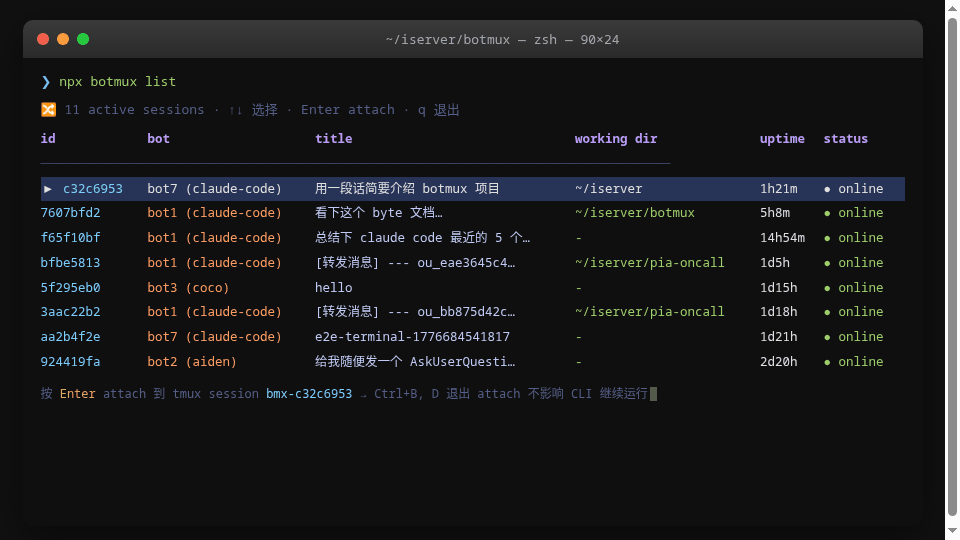
Attach directly
Once you attach, what you see is a terminal exactly identical to your local development — and this is the key difference between botmux and "read-only output" approaches. The Lark topic, the Web terminal, and your local tmux all show the same process; see Web Terminal.
Other backends and explicit pty
Only tmux (default) and pty (emergency) are relevant day to day; zellij / herdr are also available backends, opted into explicitly via BACKEND_TYPE or a per-bot backendType, and don't change the default. riff is different — it is enabled paired with the riff CLI (cliId===riff ⇔ backendType===riff, a forced binding) and can't be selected for an ordinary CLI the way zellij/herdr can.
⚠️ A pty session does not survive a daemon restart: pty has no persistent process to re-attach to, so the session must reload after a restart. For "restart without losing context," use the default tmux. You can also set
"backendType": "pty"per bot (see bots.json configuration).